

Plex-Earth Feature Spotlight: Timeviews
Turn back the clock and see how your project site changed over time.
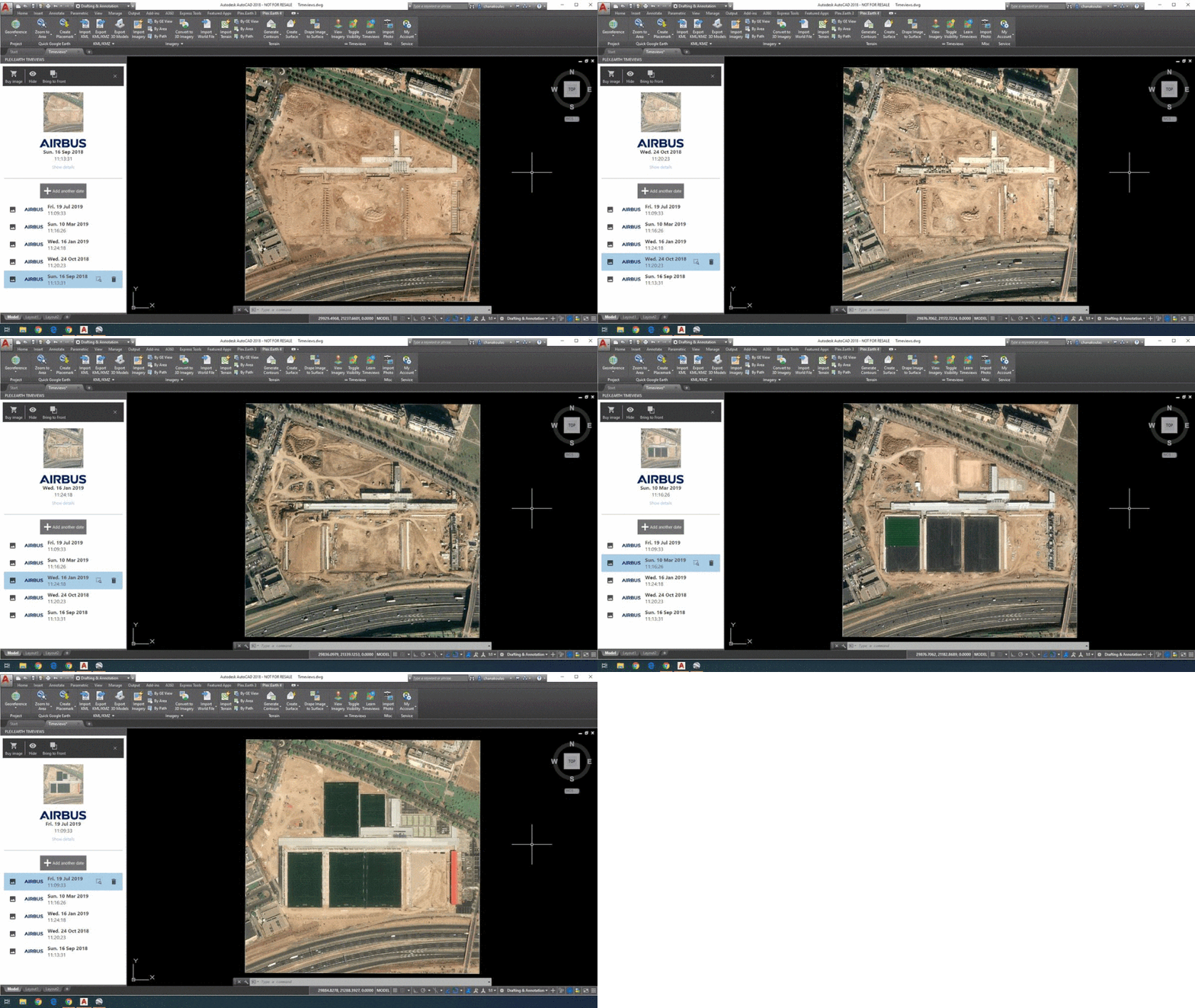
Create data-backed timelines for any area of interest.
Easily compare before & after, to anticipate future changes.
Turn timestamps into georeferenced imagery mosaics.
See what changed, not just how it looks today.
See project progress, how land use shifts, or how a disaster impacted your site, and make confident decisions based on documented change.
Define your area of interest and build a chronological list of images for that exact area.
Choose one or more images from the timeline and turn them into georeference mosaics.
Toggle between mosaics from different dates in the same drawing, so your “before and after” differences stand out.
Stay in your current workflow: create timelines without ever leaving your AutoCAD, Civil 3D, BricsCAD, and others.
✔
✔
✔
✔

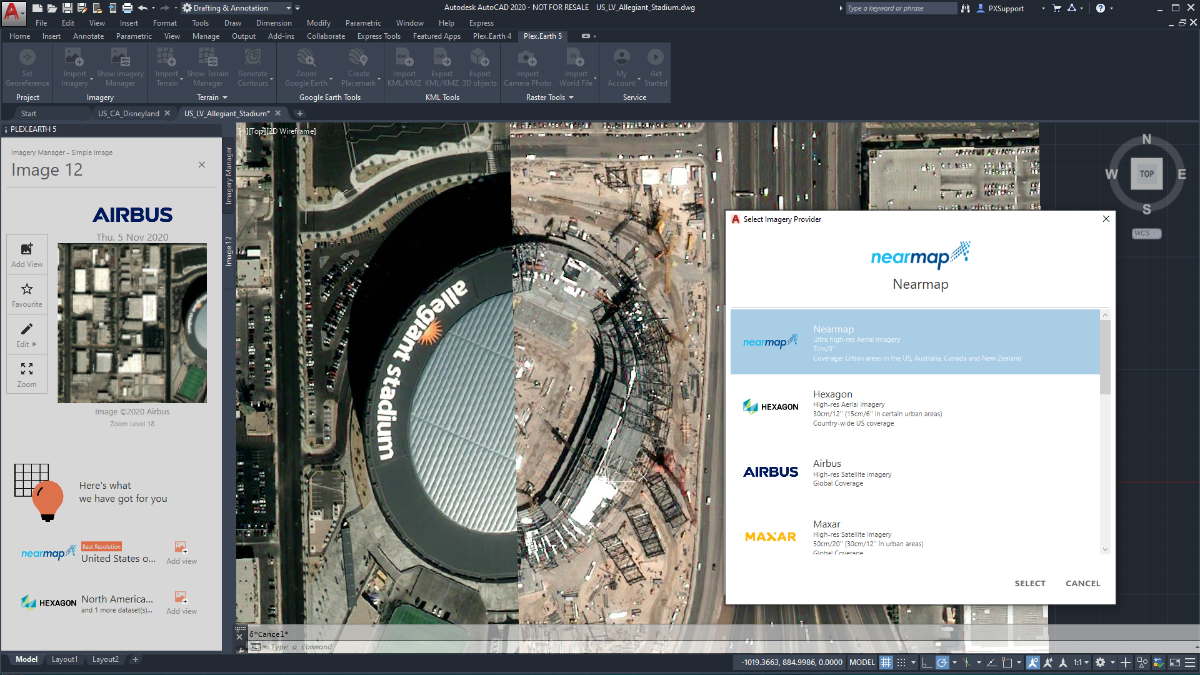
Plex-Earth plugs your designers straight into imagery from Airbus, Vantor (formerly Maxar), Nearmap, Hexagon, plus familiar basemaps like Google Maps and Azure Maps.
Access the freshest images out there with our Premium Partners.




No more nasty surprises. Tap into the freshest high-definition imagery from our Premium Partners.
Imagery as recent as last week, made available within days of the capture
Regularly updated high-interest areas (like major urban centers)
Verify what changed on site before you commit.
See the full site impact through time
The island of La Palma in the Canary Islands, Spain, before/after the Cumbre Vieja volcano lava eruption. Satellite images over time reveal the black lava flow.

Before the eruption (Aug 17th, 2021).
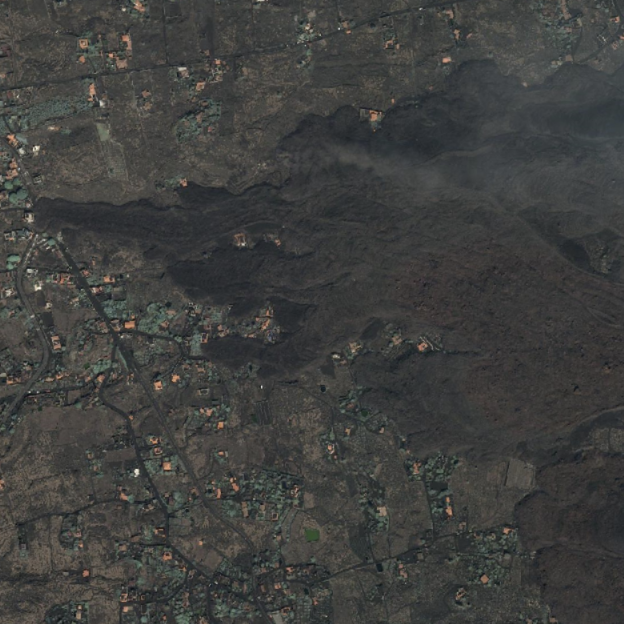
After the eruption (Sep 26th, 2021).
-
Timeviews is Plex-Earth’s historical imagery feature. It lets you create a timeline of historical and very recent satellite images for a specific area, using premium data from Airbus and Maxar, so you can monitor how a site or project area changes over time right inside AutoCAD, Civil 3D, BricsCAD, and other popular CAD tools.
This feature is used to understand the changing morphology of an area of interest, have a real-time overview of the project, or even anticipate future shifts and changes in terrain, to de-risk the planning process.
-
Timeviews timelines are based on premium imagery from Airbus and Vantor (formerly Maxar) and can typically span from a few days ago to well over 10 years back, depending on coverage for your area. That means you can look at both long-term trends and very recent conditions, not just a single static snapshot.
-
Regular Imagery pulls the best available capture for your area right now and turns it into a mosaic or single image. Timeviews uses Create Timeline to build a chronological list of captures (historical and very recent) for the same area, so you can choose which date to import. Under the hood, importing from Timeviews still uses the same Imagery engine and tools you already know (Create Mosaic, edit tiles, convert to raster, etc.).
-
Yes. Timeviews can work with long corridors such as roads, rail lines, or pipelines. When you define your area of interest using a Google Earth path or a Route/Site Area in Plex-Earth, you’re prompted to create a corridor rather than a simple rectangle. Timeviews then builds the historical imagery timeline for that whole corridor, and you can import specific dates or create mosaics along the route directly in CAD.
-
Yes. Timeviews works together with Site Areas and Points of Interest (POIs) in Plex-Earth’s Contextual Data system. You define a Site Area or POI once, then you can access recent and historical imagery (Timeviews) for that location from the Collection Manager, instead of re-defining the AOI every time. That makes it easy to revisit the same project area, corridor, or key structure and update its timeline as new imagery becomes available.
Aerial and satelite imagery FAQ
Make better decisions with confidence.
Sign up for a free trial of Plex-Earth and see how quickly your team can move from blank drawings to geolocated, visual designs.